Guides
Is AI Grading in Moodle Safe? A Privacy Checklist for Schools
October 2026 · 6 min read · By Proctor AI Team
Student work is personal data. Before any AI tool touches it, someone at your school should be able to answer a few plain questions. Here are the ten we would ask, with the answers for the Proctor AI Moodle plugin. Use the same list for any other tool you are considering.
| Question | Proctor AI Moodle plugin |
|---|---|
| 1. Is anything sent before we agree? | No. Nothing leaves Moodle until an administrator ticks the consent box in the plugin settings. |
| 2. Who can send student work? | Only roles with the Send submissions to Proctor AI permission: editing teachers and managers by default. It is marked as a privacy risk in Moodle. |
| 3. Are student names sent? | No. Names, usernames, emails and ID numbers are never sent. Files are renamed page-1, page-2 and so on. |
| 4. What is sent? | The submitted pages and typed text, the assignment name, and the marking key, level and instructions. |
| 5. Is it encrypted on the way? | Yes, HTTPS only. The plugin refuses to send its key over an unencrypted connection and never follows redirects elsewhere. |
| 6. How long is it kept? | Uploaded pages are deleted as soon as they are graded, and within 72 hours at most. The result is kept encrypted for 72 hours only so a retry is never charged twice. |
| 7. Is our data used to train AI? | No. |
| 8. What is stored in Moodle? | The AI result for each graded attempt, and a short queue record. Both are covered by Moodle's privacy tools. |
| 9. Can we export or delete a student's data? | Yes, through Moodle's normal data requests, together with the rest of the student's assignment data. |
| 10. Can we switch it off quickly? | Yes. Untick the consent box and nothing more is sent. Uninstalling removes the stored results too. |
One thing to tell students
If a student writes their name on the page, it is visible in the photo. The plugin doesn't store the name the AI reads, but if your policy is strict, ask students to write only their roll number or nothing at all.
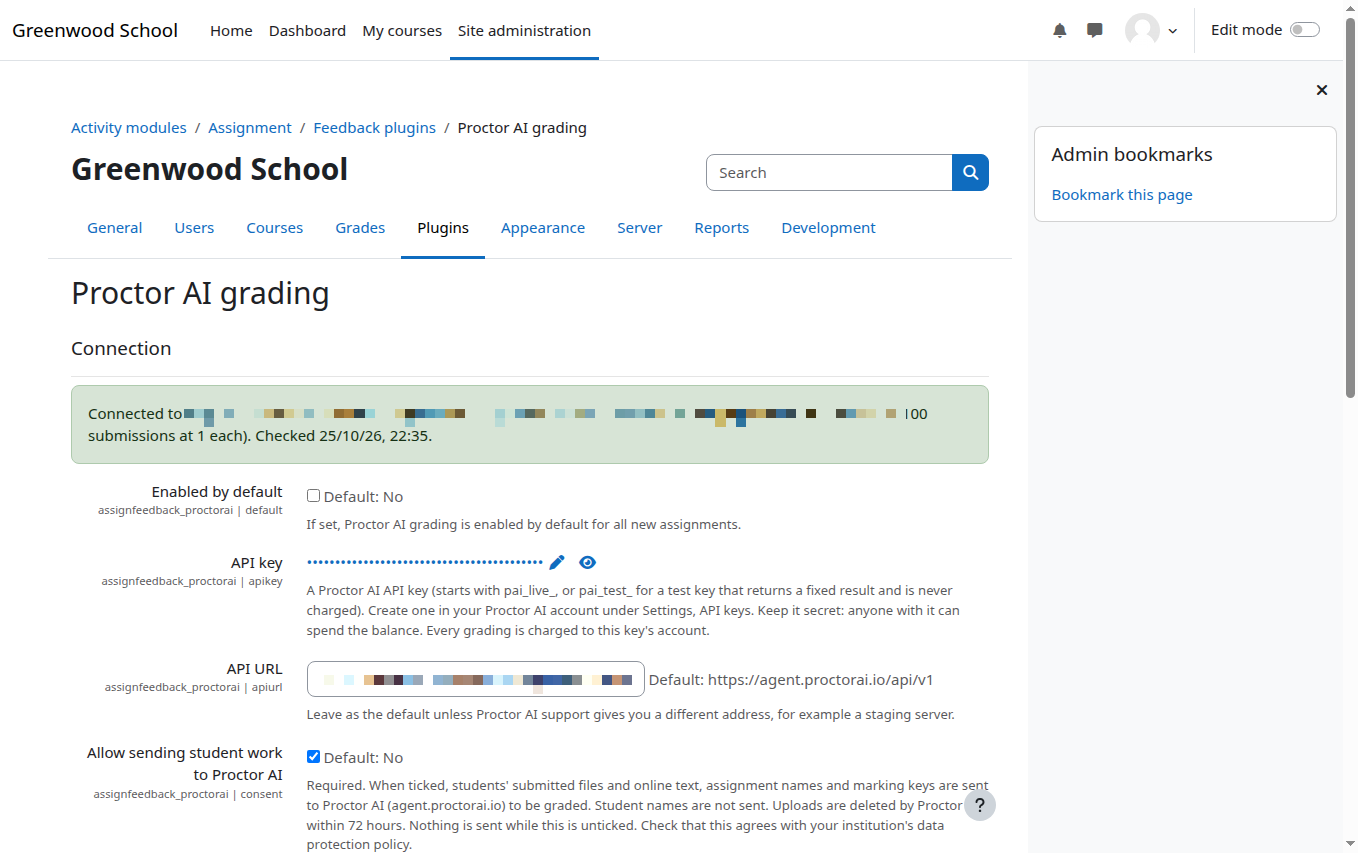
Before you tick the box
- Check your school's data protection policy, and in India the Digital Personal Data Protection Act, or GDPR in the UK and EU.
- Tell students and, where needed, parents that AI helps with marking and that a teacher checks every mark.
- Read Proctor AI's privacy policy and terms.
- Decide which courses or teachers should use it first. Moodle permissions let you limit it.
Frequently asked questions
Does Proctor AI use student work to train AI?
No.
Are student names sent to Proctor AI?
No. Only the submitted pages, typed answers, the assignment name and the marking key are sent.
How long does Proctor AI keep uploaded pages?
They are deleted as soon as they are graded, and within 72 hours at most.