Guides
Moodle AI Grading: 12 Common Questions and What to Do
October 2026 · 6 min read · By Proctor AI Team
Most of what goes wrong in the first week of AI grading is the same handful of things. Here they are, with what the plugin does and what you should do.
1. The handwriting is very hard to read
The AI flags the question as Check this, says why, and shows low confidence. If a page can't be read at all, grading stops with the reason and nothing is charged. Ask for a clearer photo, or mark that question yourself.
2. A student uploaded a Word document
That file is left out and the rest is graded. A yellow note in the grader and on the status page names the file and the reason, so you don't accidentally leave those answers at zero.
3. The PDF has 25 pages
One submission can have at most 20 pages. It stops with a clear message and nothing is charged. Ask the student to remove blank or extra pages.
4. Status stays on Waiting for AI grading
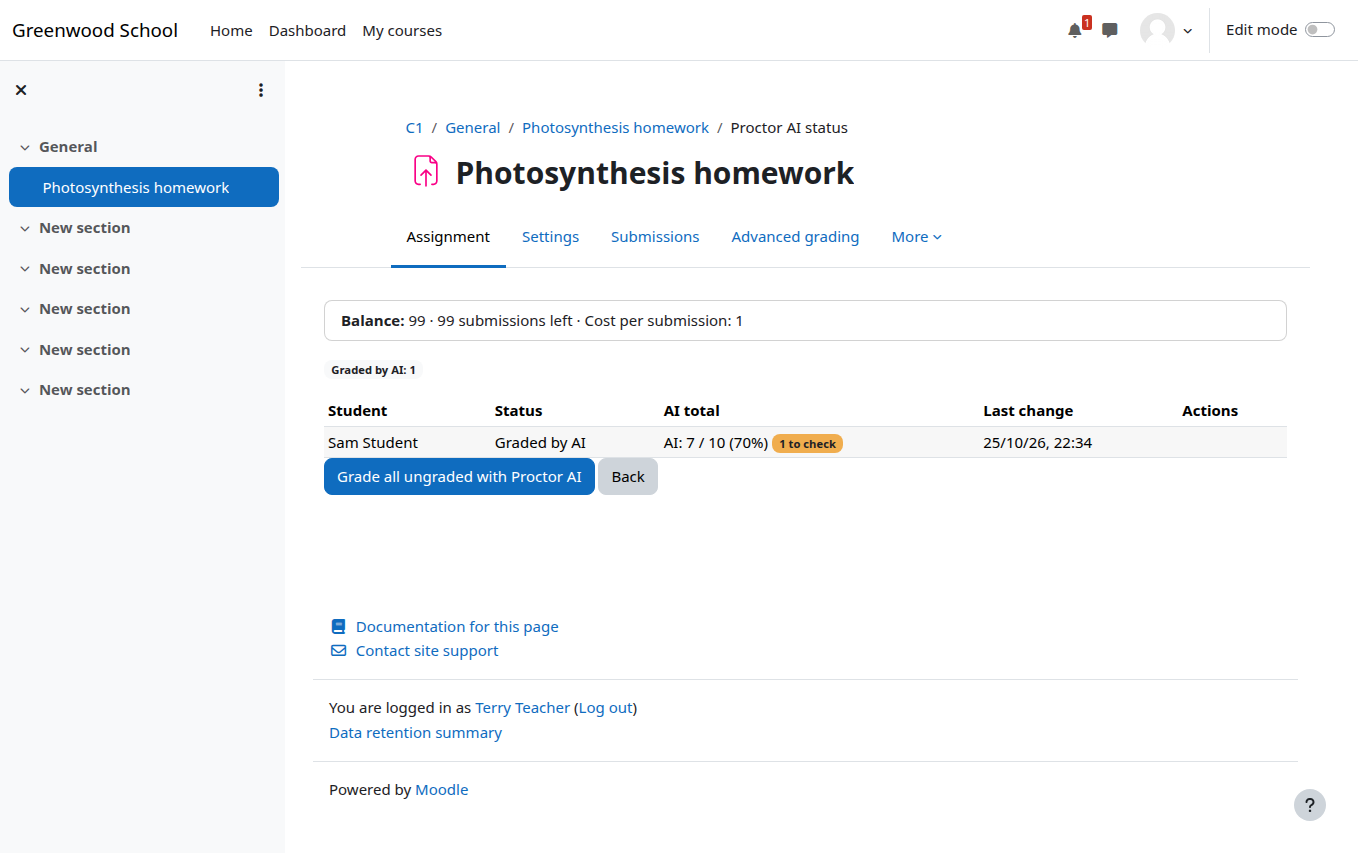
Grading runs in Moodle's background tasks. If nothing moves for ten minutes, cron probably isn't running. Your administrator can check it under Site administration, Server, Tasks.
5. The balance ran out halfway
The rest stop with Not graded: balance ran out, and administrators and the teacher get a message. After a top-up, open the status page and click Retry everything stopped by the balance.
6. Grading is paused for the whole site
Proctor AI rejected the API key, usually because it was revoked. An administrator saves a valid key in the plugin settings and everything that was waiting is graded automatically.
7. A student resubmitted after I approved the grade
Automatic grading leaves it alone, so the student keeps the result you approved. Send it again yourself if you want a new result. It will be a draft until you approve it.
8. A student resubmits again and again
Automatic gradings are capped per student, three by default. Gradings you request yourself don't count.
9. We use separate groups
Teachers can only send, apply or see results for students in groups they can see, exactly like the rest of Moodle.
10. It is a group assignment
The group's submission is graded once and charged once. Every member gets the same result.
11. I cancelled a grading by mistake
Click Retry on the status page. Cancelled gradings were never charged.
12. Will retries charge us twice?
No. Every grading has its own request ID, and a retry sends the same one. Proctor AI recognises it and returns the first result instead of charging again.
Frequently asked questions
Why is my Moodle AI grading stuck on waiting?
Usually because Moodle cron isn't running. Grading happens in Moodle's background tasks.
What happens if the balance runs out during a batch?
The remaining submissions stop without being charged. After a top-up, Retry everything stopped by the balance continues them.